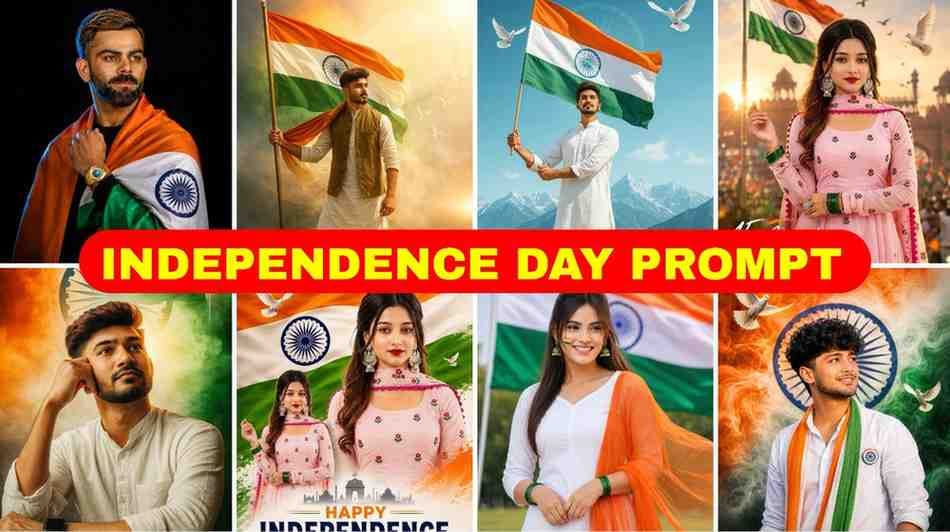
15 August is here. And do you not have a good Independence Day picture to put on your Facebook or Instagram profile?
There is nothing to worry about. By using 15 August Prompt ChatGPT, you can easily make great pictures for yourself.
In today’s article, I have collected the most viral prompts for you in one place. This way, you do not have to search different places on the internet while making pictures.
What you will get in today’s article
In today’s article, you will learn how to do 15 august photo editing easily. I have given different prompts for boys and girls.
And the most important thing is that when you make pictures with AI, many times the face cannot be recognized at all. I will share a very easy and practical solution to this problem with you today.
Main topic today
Now there is a big trend of 3D pictures made with AI on social media. Everyone is uploading pictures wearing a t shirt with their name on it and holding a flag.
But if you do not know the right prompt, it is very hard to get the picture you want. So to save your time, I tested many prompts myself and gave the best ones here.
Let us start the topic right from the beginning.
What is 15 August ChatGPT AI Photo Editing?
In simple words, this is a method where you write and tell ChatGPT what kind of picture you want, and it will make that exact picture for you.
Suppose you want someone wearing a white t shirt with your name on it and standing with the Indian flag in hand. You just write this sentence as a prompt. AI will understand your writing and make a beautiful picture in a few seconds.
The matter is very fun, is it not? But before that, it is good to know a small thing.
History and Significance of 15 August Independence Day
India became independent on 15 August 1947. This day is a day of great pride for all of us.
And on this proud day, we all want to share something on our social media profiles that shows our love for the country.
That is why these Independence Day pictures made with AI are becoming so popular now.
Why 15 August AI Photos Are Going Viral on Social Media
I noticed that for the last few weeks, everyone has been sharing these kinds of pictures on Facebook and Instagram.
The main reason for this is that these pictures look very realistic. Tricolor flag in the back, t shirt with one’s name written on it, all together the pictures look great. Everyone wants to follow the trend.
If you also feel like making such a picture, then there is nothing to worry about. If you do it slowly, the work is very easy.
How to Create 15 August AI Photo Using ChatGPT (Step by Step)
Many people think that making pictures with AI is very hard work. But actually it is not so. I am explaining it step by step below.
Step 1. First open ChatGPT from your mobile or computer. Of course use the version where pictures can be generated, or you can use Microsoft Copilot.
Step 2. Go to the chat box and copy and paste the prompts given today. Along with that, you also have to add the photo that you want to edit.
Step 3. Inside the prompt where Your Name is written, put your own name there.
Step 4. Now press enter.
That is all. Your picture will be ready in a few moments. It took me a little time to understand the first time, but once I understood the process, the work felt very easy.
Best 15 August ChatGPT Prompts
There are many prompts on the internet for boys. But I selected some 15 august photo editing prompt boy that work the best.
for Boys
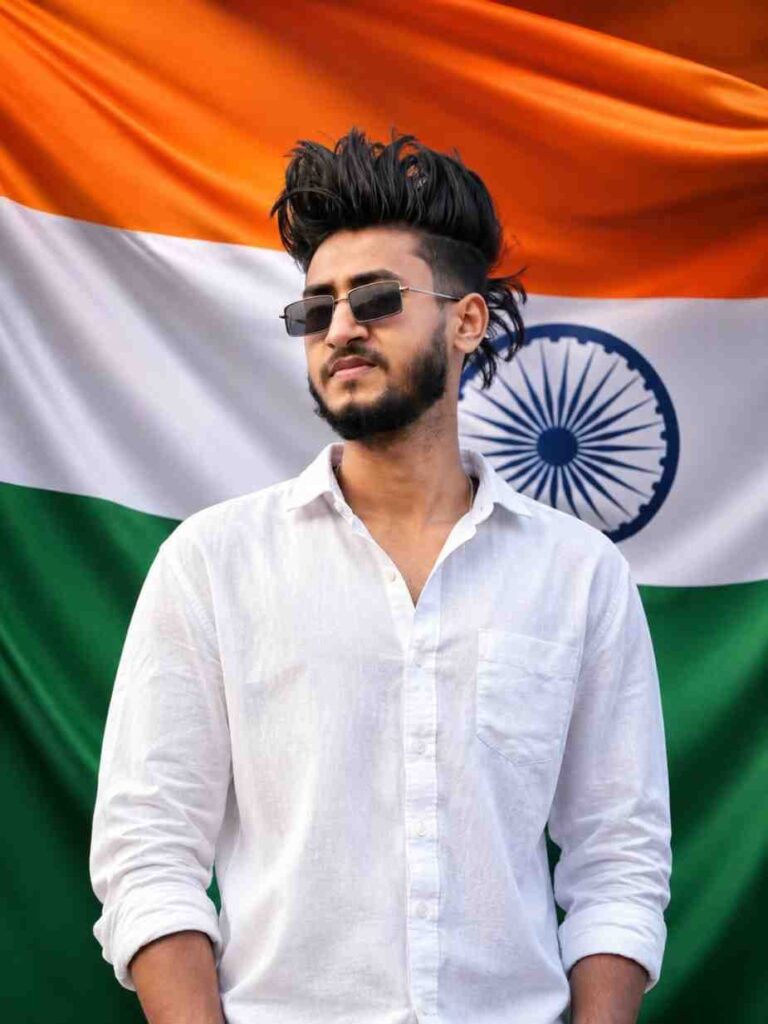
A hyper-realistic studio portrait using the uploaded face and features of a young Indian man standing confidently in front of a massive, gently waving Indian national flag that completely fills the background. He is wearing a premium white linen casual shirt, looking directly into the camera with a proud smile. Professional studio lighting, ultra-realistic skin texture, sharp focus, realistic fabric details, cinematic composition, shot on an 85mm lens, shallow depth of field, 8K resolution, indistinguishable from a real photograph, vibrant patriotic colors, 3:4 aspect ratio.
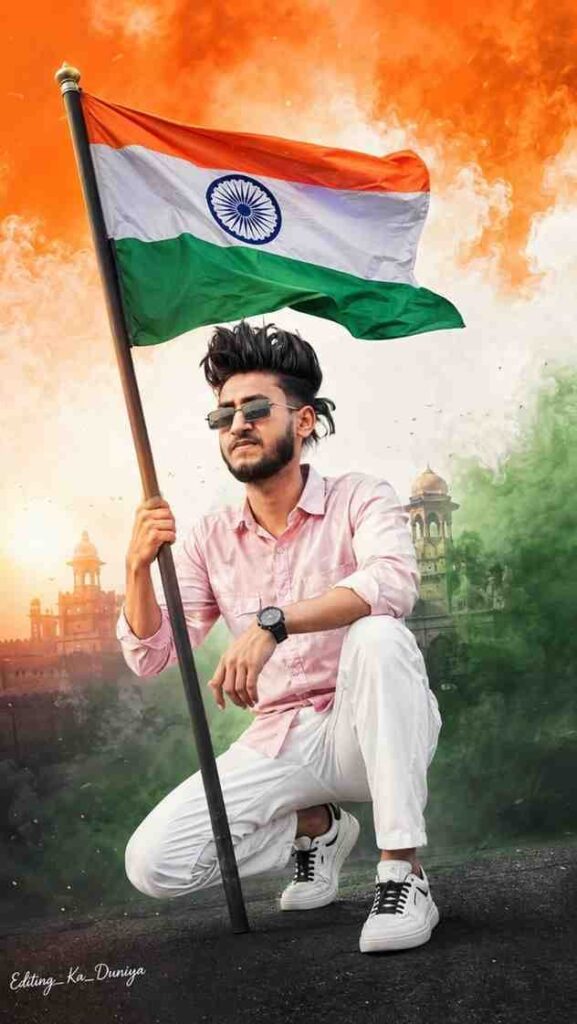
High-quality portrait using the uploaded face and features. A young Indian man wearing a light pink full-sleeve shirt, white pants, white sneakers with black laces, and a black wristwatch. Confident crouching pose while holding the Indian national flag. Vibrant saffron, white, and green patriotic background with cinematic lighting, ultra-realistic, sharp focus, 9:16 aspect ratio.
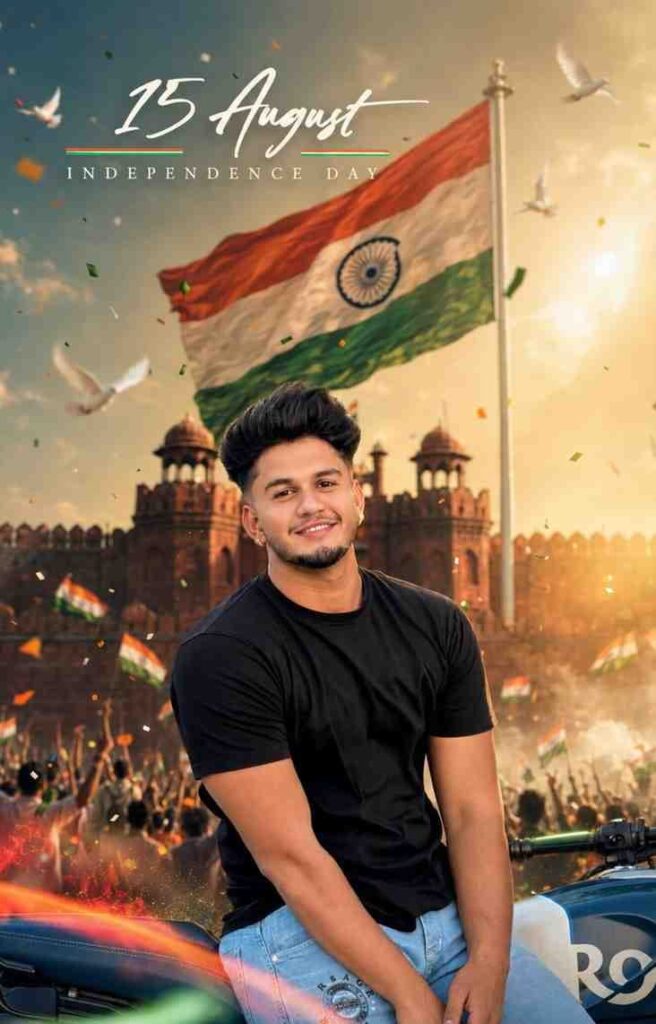
Use the uploaded photo as the exact facial reference. Preserve 100% facial identity, hairstyle, beard, skin tone, expression, body proportions, clothing, and natural texture. Create an ultra-realistic cinematic 15 August Independence Day portrait with the Red Fort and a gigantic Indian tricolor flag in the background. Add golden sunrise, soft mist, tricolor light streaks, confetti, white doves, patriotic crowd, smoke, lens flare, and volumetric lighting. DSLR quality, 85mm f/1.8, shallow depth of field, natural skin pores, HDR, premium color grading, ultra-detailed 8K, vertical 4:5. Add elegant text: “15 August” and “INDEPENDENCE DAY”.
for Girls
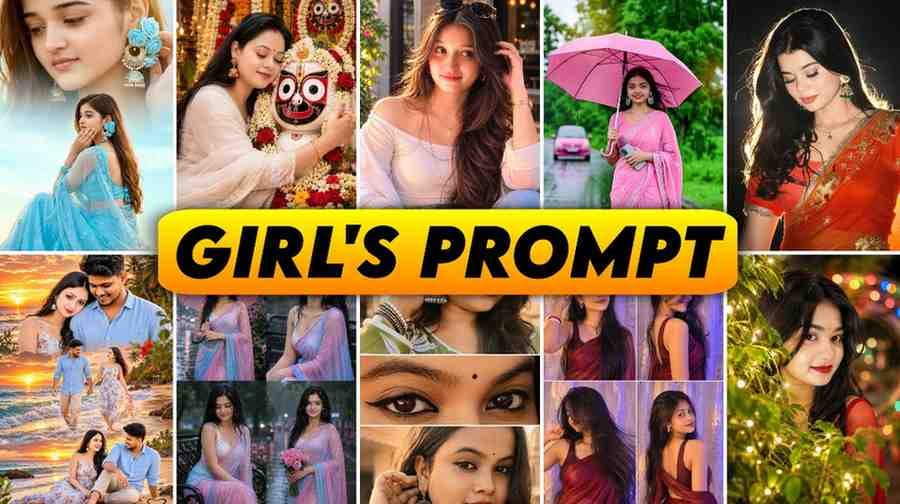
I also have some great prompts for girls. With a good 15 august chatgpt prompt girl, you can make very beautiful pictures.
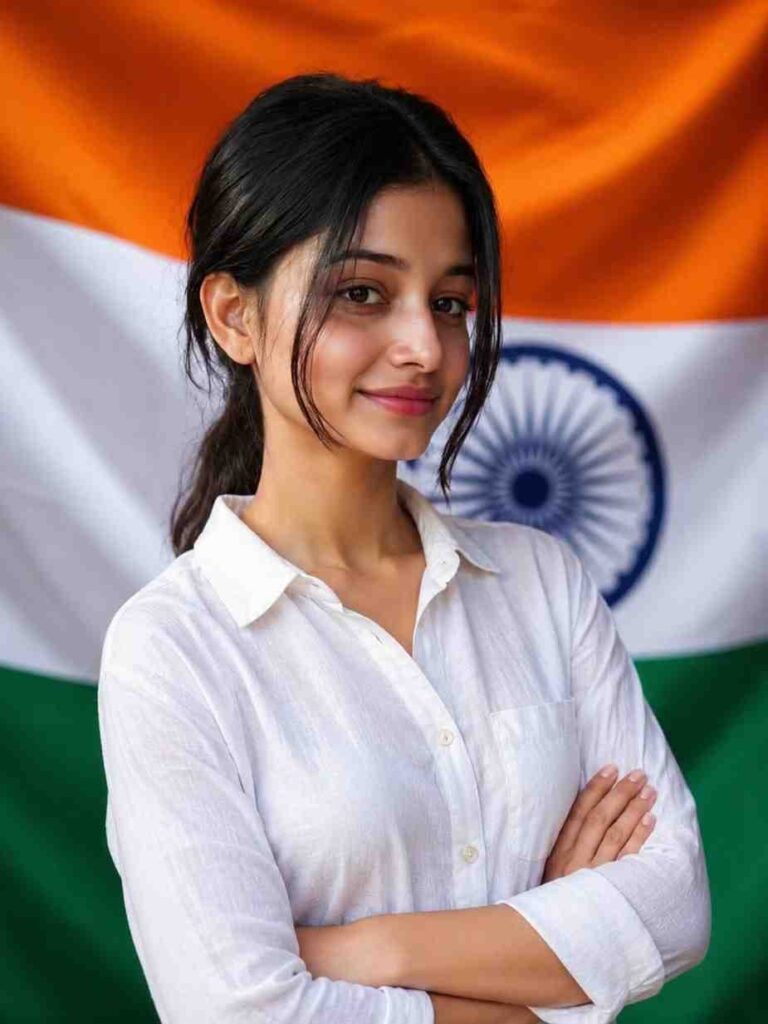
A hyper-realistic studio portrait of a beautiful 20-year-old Indian woman standing confidently in front of a massive, gently waving Indian national flag that completely fills the background. She is wearing a premium white linen casual shirt with a clean, elegant look, smiling proudly while looking directly into the camera. Professional studio lighting, ultra-realistic skin texture, sharp focus, realistic fabric details, cinematic composition, shot on an 85mm lens, shallow depth of field, 8K resolution, indistinguishable from a real photograph, vibrant patriotic colors, 3:4 aspect ratio.
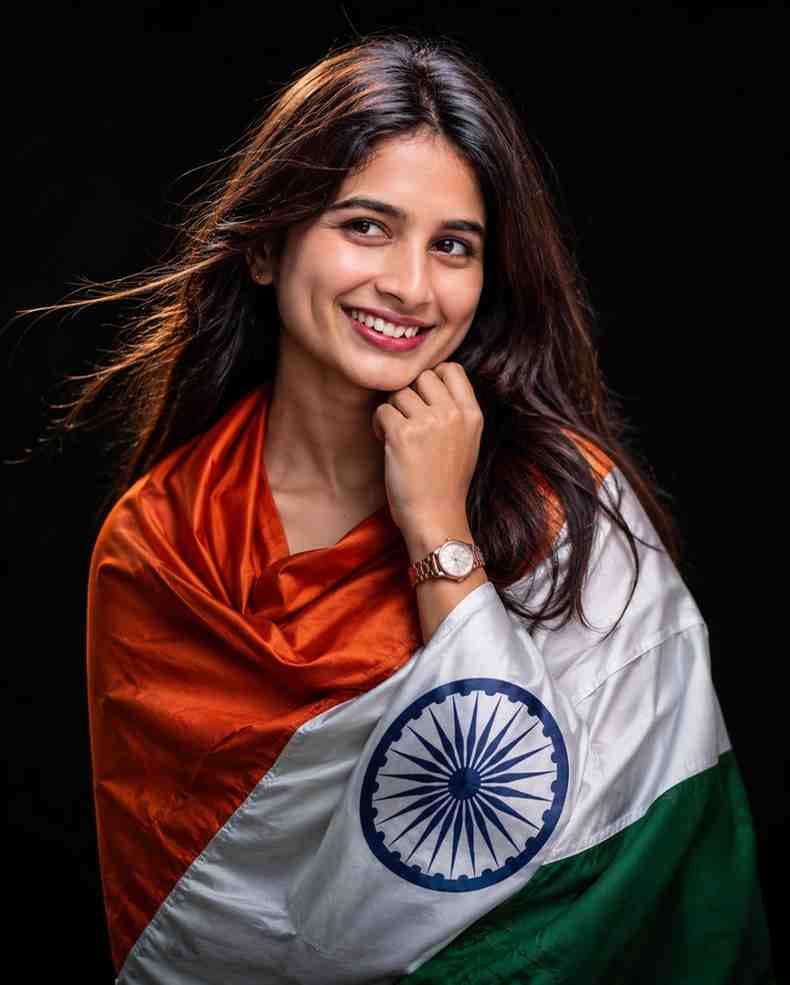
Use the uploaded photo as the exact facial reference. Preserve her 100% facial identity, hairstyle, skin tone, body proportions, and natural features. Create an ultra-realistic cinematic portrait of her gracefully wrapped in the Indian tricolor flag, against a clean matte black background. She looks slightly left with a soft genuine smile, one hand under her chin, long flowing hair with a few loose strands, minimal makeup, natural skin pores and realistic texture. Detailed flag folds with a clearly visible Ashoka Chakra, soft cinematic key light, rim light, realistic shadows, shallow depth of field, Canon EOS R5, 85mm f/1.2L, f/1.8, ISO 100, 8K RAW, HDR, photorealistic.
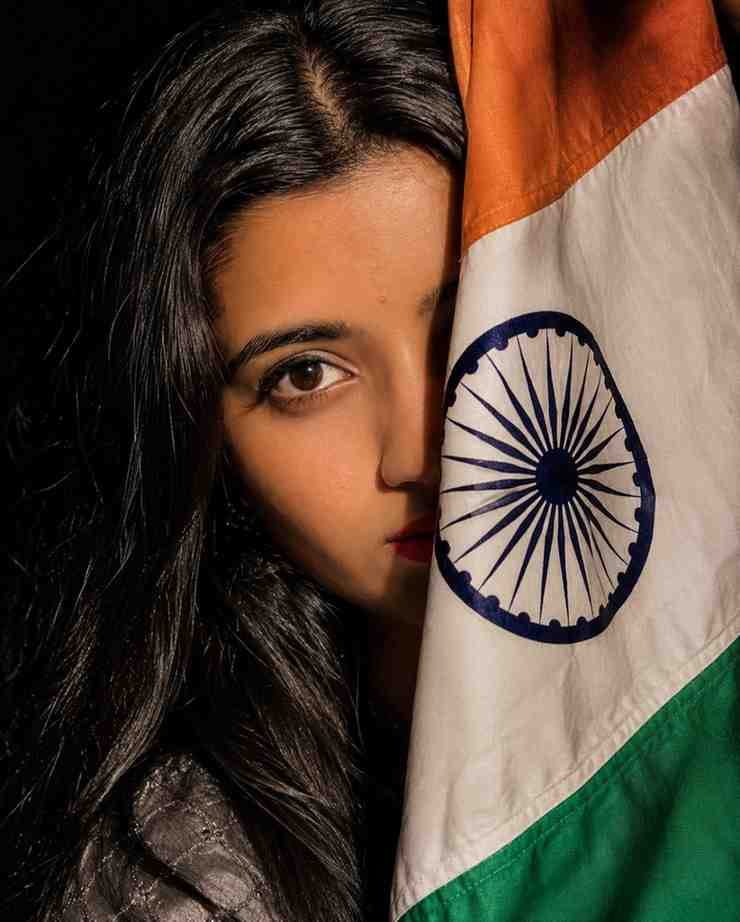
Extreme close-up portrait of a beautiful young Indian woman with flawless, ultra-realistic skin texture, bold matte red lips, naturally thick well-defined eyebrows, and expressive deep brown eyes. She is holding the Indian national flag like a veil, covering half of her face, with the Ashoka Chakra prominently visible and perfectly detailed. Her gaze is intense, emotional, and filled with patriotic pride. Dramatic cinematic studio lighting with high contrast, deep black background, sharp focus, photorealistic, hyper-detailed, 8K quality, shallow depth of field, premium editorial fashion photography, ultra-realistic, masterpiece, --ar 4:5
How to Fix the Face Not Matching Problem in ChatGPT AI Photos
When I went to make the picture for myself for the first time, I fell into a big problem. The picture looked great, but the face did not look like me at all.
It could not be understood properly that it was my picture. Maybe this happened to you as well.
After trying a lot, I understood where the real problem was.
After that, I took a selfie with my mobile camera where the light was very good. The face was clearly visible. When I used that picture with good light in the Face Swap tool, I saw that the face came out quite right and it could be understood that it was my picture.
So my advice is, while changing the face, always use a picture where there is enough light on your face. If you give a dark picture or a picture with sunglasses, AI cannot match the face properly.
How to Use These Prompts on Mobile and Browser ChatGPT App
If you want, you can very easily do this 15 august photo editing work from the ChatGPT app on mobile too.
Open the app and write the prompt just like normal chat. And if you use a browser, you just have to go directly to the website and log in. The rules are exactly the same in both places.
Expert Tips
In my experience, I have seen that if you change the shirt color or background location name a little bit in the prompt, the pictures become much more unique. Everyone uses a white t shirt, you can try writing black or blue if you want.
Common Mistakes
The mistake many people make is copying the prompt and generating the picture without changing the name. Later they notice that someone else’s name is written on the picture. Please keep an eye on this place.
Summary
In today’s article, we learned how to make great pictures for social media using 15 August Prompt ChatGPT.
We saw different prompts for boys and girls, and we also learned the practical technique of using good light pictures while changing faces.
Conclusion
I hope that from now on, you will not have any problem making Independence Day pictures with AI.
Always remember that a prompt is an instruction. The more clearly you instruct the AI, the better your picture will be.
My small advice will be to try using these prompts first. Practice slowly. Once you learn, you can add new words to the prompt according to your needs and make even more beautiful pictures. Early Independence Day wishes to everyone. Stay well.