Many times we come to Google and search how to make a beautiful picture of Krishna with our own face. But the problem is if we do not get the right writing or prompt, AI cannot make a good picture.
The solution to your problem will happen right here today. In this article today you will learn how to make great photos of Krishna very easily with your own picture.
When I myself went to make a picture for the first time, I had this same problem. Because of not knowing the right prompt, the pictures were not good at all. So I have decided that I will give all the krishna ai photo editing prompts of whatever kinds of pictures of Krishna can be in this one place. So that you do not have to go to any second website.
Let us then know the main thing in easy language.
What is Krishna AI Photo Editing?
The thing is actually very easy. Suppose a magician is sitting in front of you. You said to him make me wear a beautiful dress like Krishna and put a peacock feather on my head. He made you such a picture right away.
AI or artificial intelligence is just like that magician. You will give him a simple picture of your own. And write along with it what kind of picture you want. This that you are writing and making him understand is the prompt.
He will read your writing and understand whether you want a picture for Janmashtami or in Radharani style. After that he will make a great picture matching with your face in just a few seconds. This whole work is called krishna photo editing or janmashtami photo editing. The work is so easy that even a small child can do it.
Now you understood what the matter is. Now let us see what things you will need before starting this work.
Things You Need Before You Start Editing
You do not need any very costly computer or camera to do this work. If you want, you can do the whole work with your hand mobile phone itself.
You will need only three things. First your mobile or computer. Second internet connection. And third a very beautiful and clean picture of your own. That is it, if you have these three things you can start the work.
Best AI Tools for Krishna Photo Editing (Free & Paid)
Now the question is with which app or website you will make these pictures. There are many kinds of tools in the market now.
I myself usually use Bing Image Creator, ChatGPT or Gemini AI. Using these is completely free and the work is also very good. If you want, you can download the ChatGPT or Gemini app from Play Store. These are the best for beginners.
What Kind of Photo Should You Choose?
This is a very important matter. Many people tell me that brother my picture is not looking real. The main reason for this is that they upload the wrong picture.
Always choose such a picture where your face is understood very clearly. There should not be any extra shadow or sunlight on the face. AI can understand the picture best in which you are looking completely straight.
The work of choosing the picture is done. Now let us come to the real part how you will make the picture.
How to Create Krishna AI Photo Editing Prompt (Step-by-Step for Beginners)
This is the most useful place of our discussion. If you have never done editing in your life, there is no problem even then. I am explaining the whole matter step by step making it completely easy.
First open the Gemini or ChatGPT app in your mobile. Log in there with your Gmail.
After that you will see a plus or upload option. Click there and upload that clean picture of yours.
One thing needs to be remembered here. If you are a boy and want to make a picture of Janmashtami then you will give your own picture. If any girl wants to make a picture in Radharani style then she will give her picture. And if you want to make a picture of Radhakrishna style as husband and wife or couple then you will upload a beautiful picture of both of you staying together. If you want to make a picture of kids, you will give the kids picture.
Once the picture is uploaded you will get a writing space below. Copy your favorite prompt from the prompts I have given below this article. Then paste it there.
Now press the send button and wait for just a few seconds. You will see what a great picture has been made with your own face.
You learned the work. Now let us see where you will get these magic prompts.
Where to Find Krishna AI Photo Editing Prompts
You will not have to go anywhere else to find these prompts. For your convenience I have arranged all the prompts nicely below.
I have divided everything into separate parts. Like Janmashtami special for boys, Radharani special for girls, Shree Krishna and Radharani special for couples and I have kept separate prompts for small kids too.
If you want you can go directly to your favorite place from the table of content present at the very top of the page. And otherwise going a little downwards you will be able to see all prompts. From there you can copy the writings very easily.
Janmashtami Photo Editing Prompts
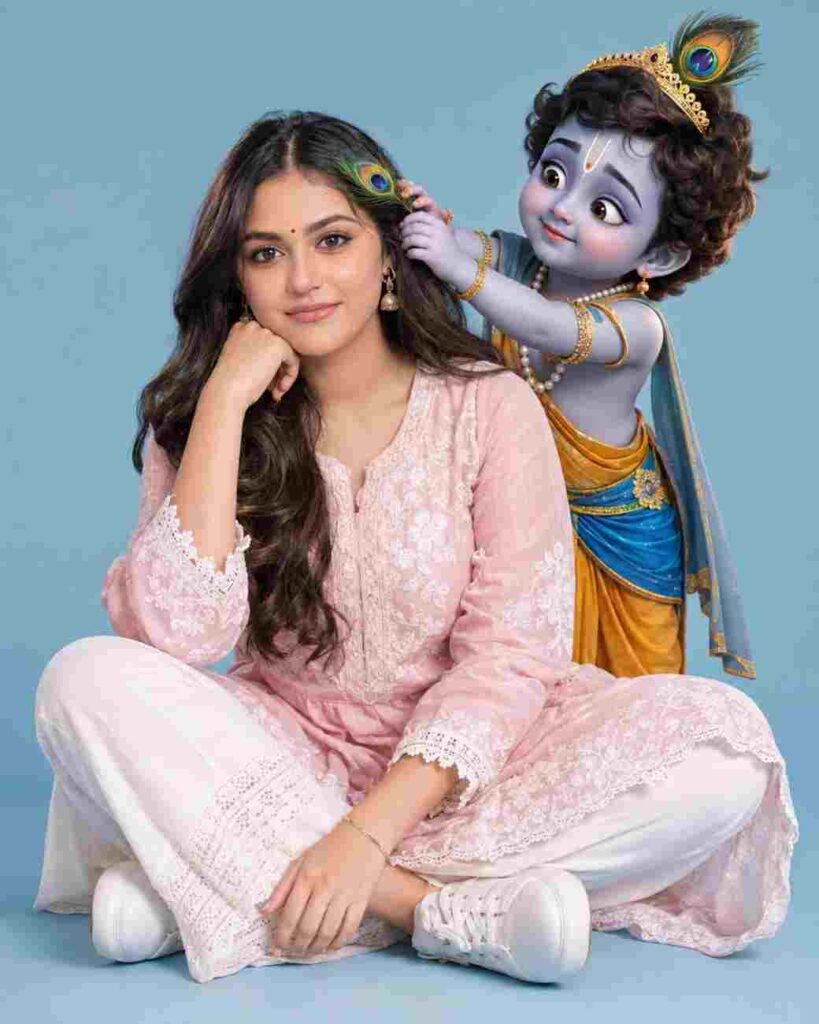
Photorealistic young Indian woman sitting cross-legged on a light blue studio backdrop, wearing a pastel pink embroidered kurta, white pants and sneakers, long wavy hair, bindi and gentle smile, hand under chin. Cute 3D baby Krishna with peacock feather crown, blue-yellow traditional attire and gold jewelry stands behind her, playfully placing a peacock feather in her hair. Soft studio lighting, divine warm mood, ultra-detailed, 8K, sharp focus, 4:5.
Photorealistic young Indian woman sitting cross-legged on a light blue studio backdrop, wearing a pastel pink embroidered kurta, white pants and sneakers, long wavy hair, bindi and gentle smile, hand under chin. Cute 3D baby Krishna with peacock feather crown, blue-yellow traditional attire and gold jewelry stands behind her, playfully placing a peacock feather in her hair. Soft studio lighting, divine warm mood, ultra-detailed, 8K, sharp focus, 4:5.
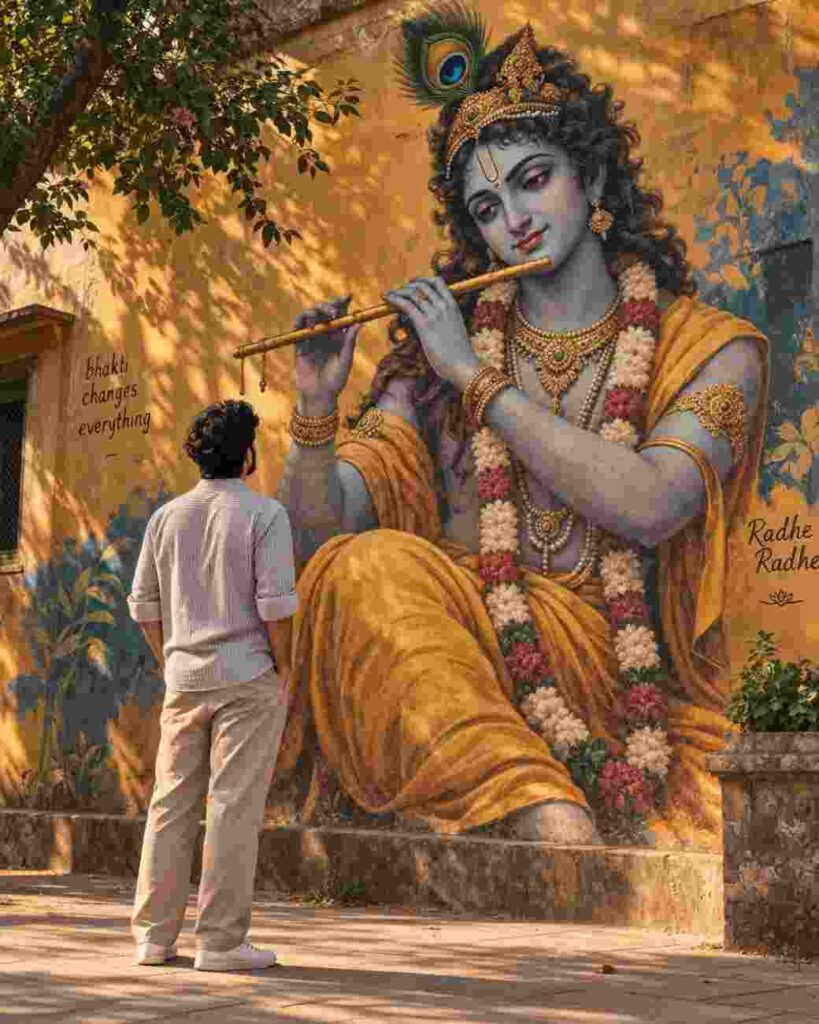
“Hyper-realistic cinematic portrait of a young South Asian man standing with his back to the camera, peacefully admiring a massive, highly detailed Lord Krishna mural on a warm ochre wall. Krishna wears golden-saffron robes, ornate jewelry, floral garlands, and holds a flute with a peacock feather in His hair. The man wears a light casual shirt and beige trousers, hands in pockets. Golden-hour light, soft tree-leaf shadows, spiritual atmosphere, modern street-art aesthetic, ultra-detailed photorealism.”
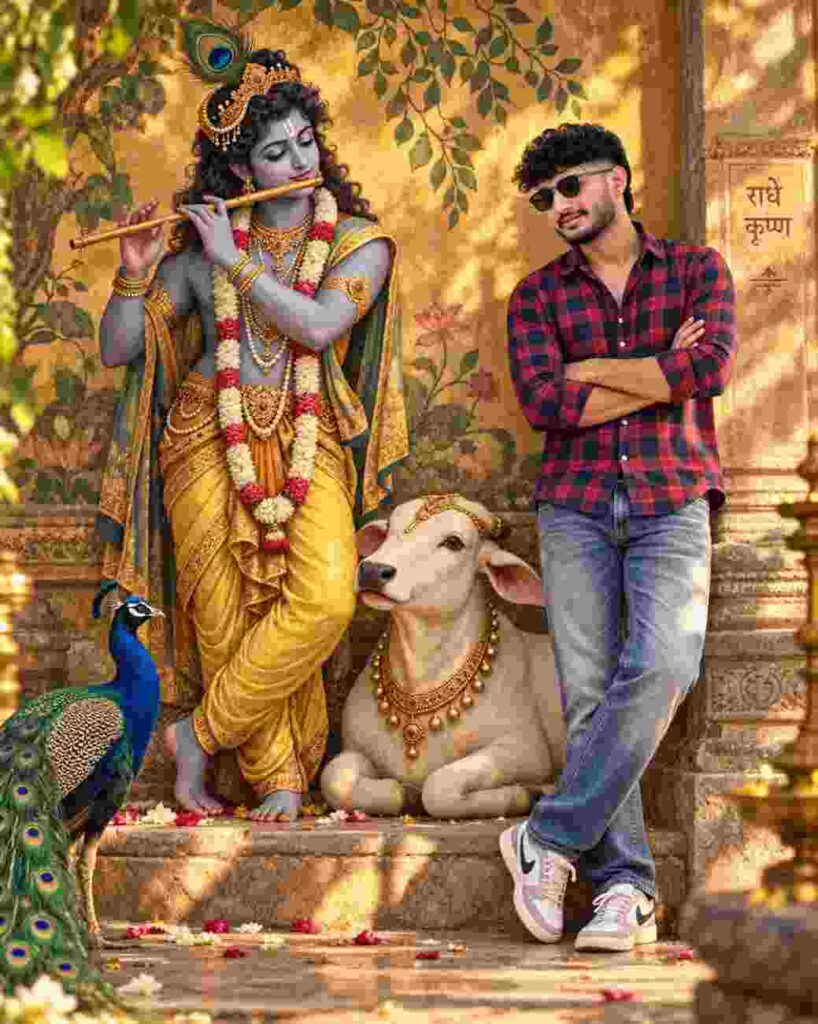
Create a cinematic, photorealistic full-body portrait using the uploaded man as reference. Show him standing confidently beside a beautifully detailed Lord Krishna playing a wooden flute, with a decorated sacred cow between them and a vibrant peacock in the foreground. Krishna wears golden garments, jewelry, floral garlands, and a peacock feather. Set the scene in a traditional Indian mural/temple background with warm golden-hour light, soft shadows, 50mm lens, f/2.8, shallow depth of field, ultra-detailed, premium photography.
Radha-Rani Style Photo Editing Prompts
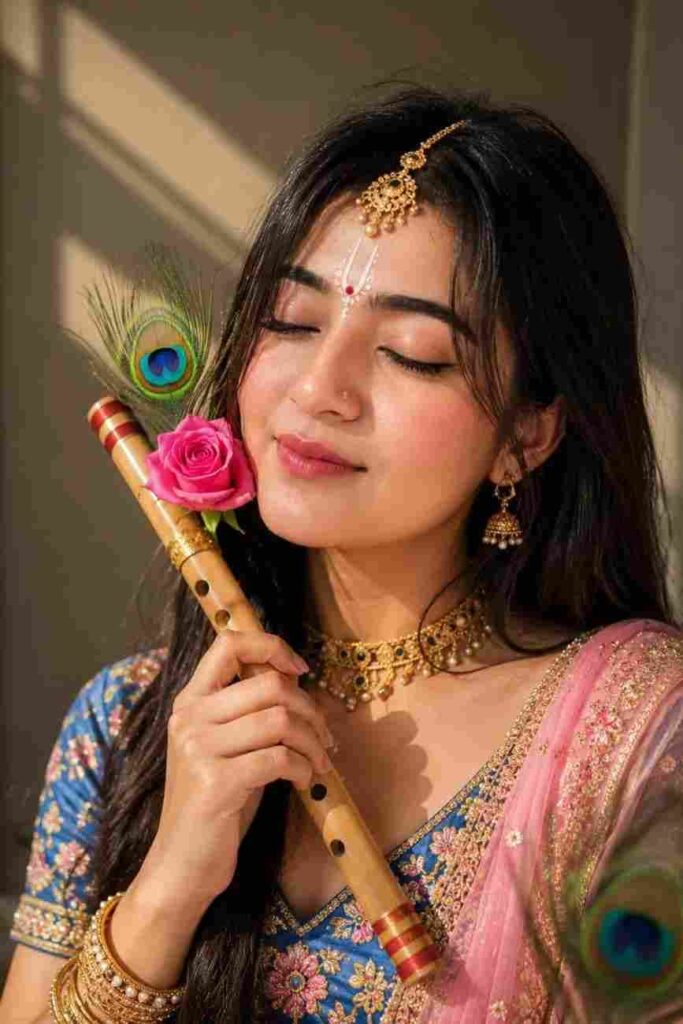
Ultra-realistic close-up of a serene Indian girl with eyes gently closed, cheek resting against a traditional bamboo flute decorated with a fresh pink rose and peacock feather. Elegant white Chandan tilak with red bindi, royal-blue embroidered blouse, pink dupatta, traditional gold choker, jhumkas and maang tikka. Soft natural sunlight with diagonal shadows, peaceful expression, highly detailed, photorealistic, 4K.
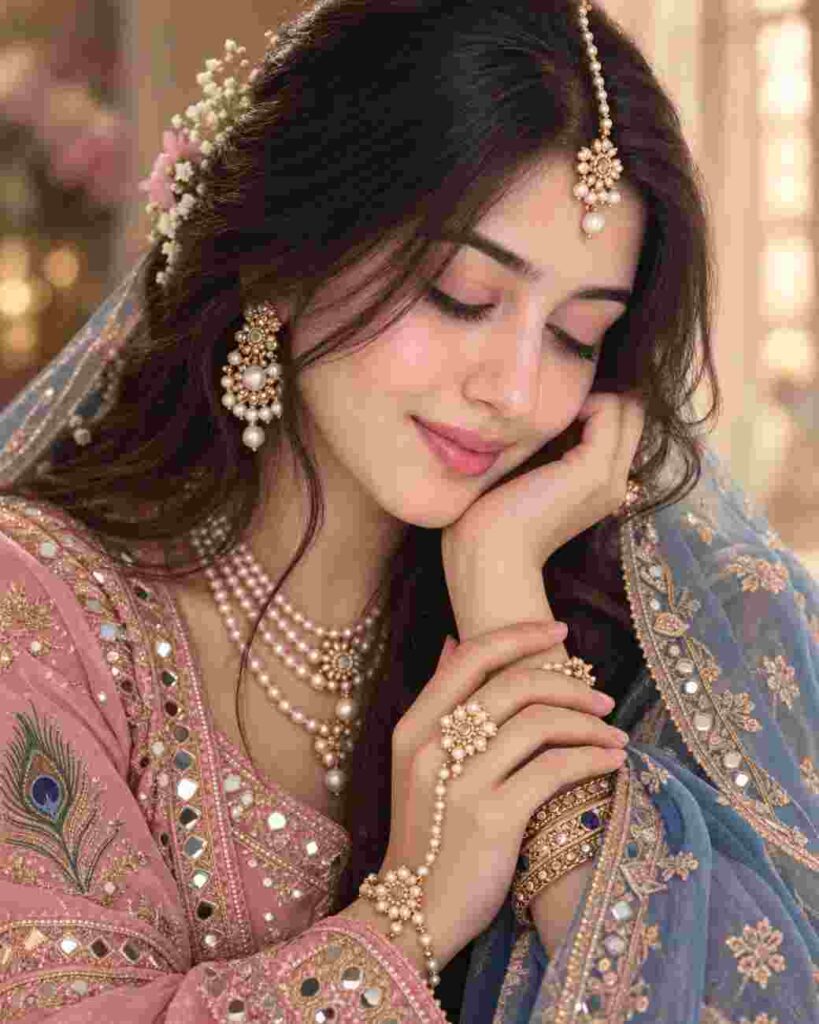
“Close-up vertical portrait of a young South Asian woman with eyes gently closed, head tilted toward her hand, serene and graceful expression. She wears a pink embroidered traditional outfit with mirror work, a sheer blue-gold dupatta, layered pearl jewelry, pearl maang tikka, floral hair accents, and elegant bangles. Soft warm glow, cinematic bokeh, natural makeup, loose dark hair framing her face, photorealistic, premium editorial photography.”
Advanced AI Prompt Writing Tips for Better Results
Many people think that to make a great picture with AI maybe some hard English word or your prompt is needed. Actually there is nothing like advanced prompt writing.
I have seen from my experience that the real secret of getting a good result is your uploaded picture. The picture that you are giving to AI, the cleaner it is, the more beautiful the picture made by you will be.
You must let AI understand the structure of your face well. The position of your nose, ear, eyes and neck should be clear in the picture. If the light is right in the picture and the face is understood clearly then even if you give a simple prompt the picture becomes extraordinary.
Best Practices to Get High-Quality Krishna AI Photos
Never use blurry pictures or pictures taken in the dark. If you see that the first time the picture has not become right according to your mind then there is nothing to worry.
Many times AI cannot understand properly the first time. Then you will try again with the same prompt. Or you will change the color name a little inside the prompt. Like you will write red in place of yellow. You will see that you have got much better results this time.
Now the thing that you will know is what is used the most.
How to Make Your Photo Look Natural, Not Fake
Many people have a common complaint that if we make a picture with AI it looks completely like a plastic doll or fake. It is very important to know why this actually happens and how you will solve it.
Usually people when they upload their picture they give such a picture in which half face has sunlight and half face has shadow. Or the picture is taken from far away where the eye pupil is not understood properly. If you give this kind of picture AI cannot understand your real face structure. Then he makes a face like his own with which your match does not happen at all. And that is when the picture looks fake or artificial.
For your picture to look 100 percent real or natural always use a straight picture taken from the front. Keep this in mind that light should fall equally on your whole face. There should not be any extra makeup or big sunglasses on the face. The better AI can understand your real face texture or skin folds, the more beautifully he will match the picture with your face. I myself follow this rule that is why the pictures made by me look completely real.
Conclusion
From this discussion of today we learned how great pictures of Krishna can be made very easily with our own picture.
We learned that no hard software is needed for this work. Just a clean picture and a right prompt are enough to get the work done. I am hoping that the prompts given here will be of much use to you.
My small advice is that if the picture does not match the first time, have a little patience, upload a good picture and try again. You will see that you too are able to make great pictures. By using the best krishna ai photo editing prompts make your favorite picture today.
FAQs
What is a Krishna AI photo editing prompt?
It is an instruction given to AI which reading he makes a picture of you in Krishna dress.
Which app is best for this editing?
For using free of cost Bing Image Creator and Gemini are the easiest and best tools.
Can girls use these AI prompts?
Yes, girls can make very beautiful pictures by using Radharani style prompts.
Why does my AI photo look fake?
If your uploaded picture is not clean or there is shadow on the face, AI cannot match the face properly.