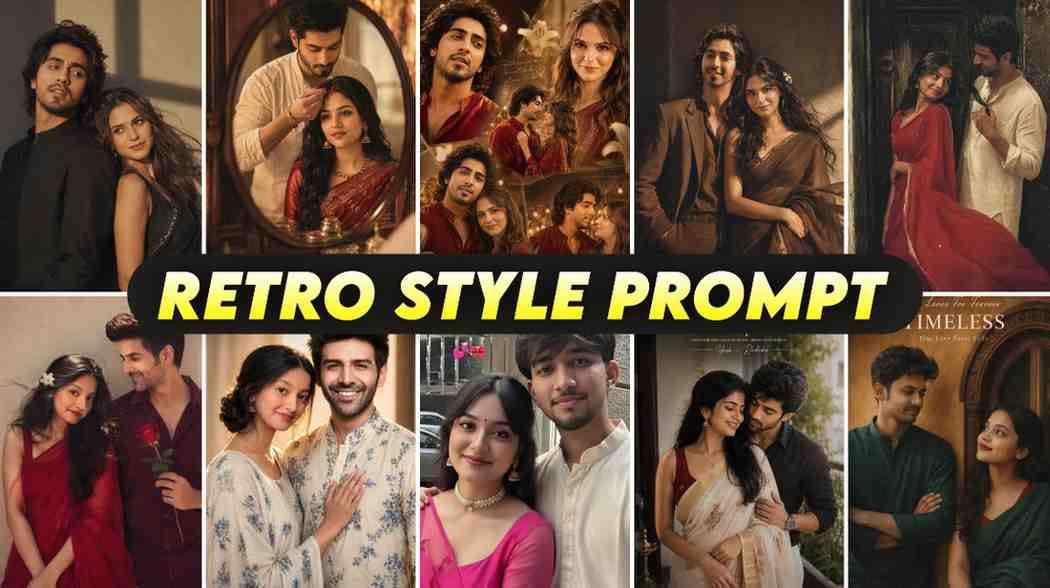
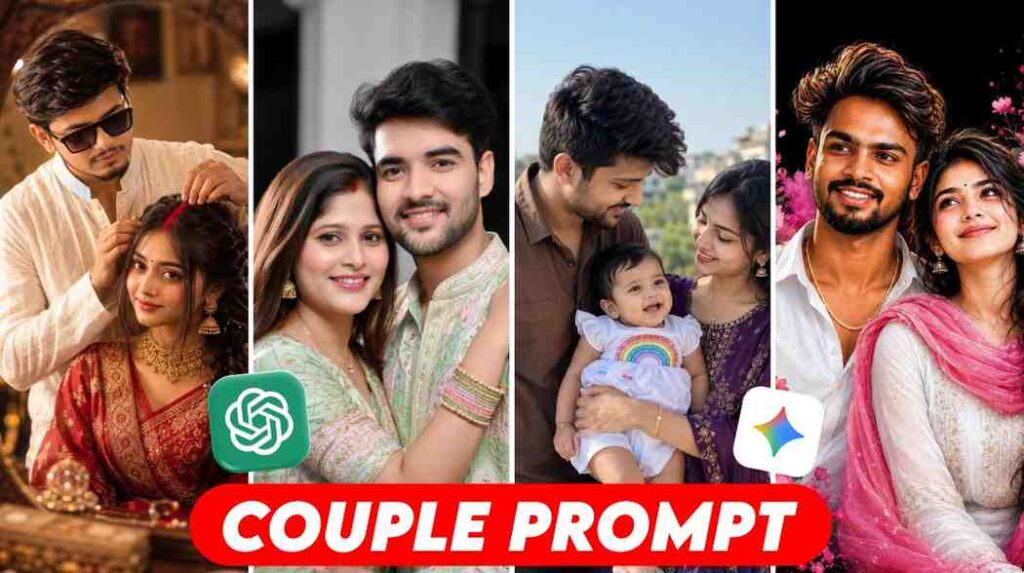
Are you seeing the viral retro photos on social media? You can also use the couple prompt for gemini ai retro style to make beautiful vintage photos with your own pictures very easily. Today I am sharing how you can do it.
Are you seeing couple photos like the old days when you open Facebook or Instagram? It looks like a photo album from the nineties. Many people are thinking how to make their simple photos look like this.
I also thought this work was very hard at first. Maybe it needs costly software.
But later I saw this work is very easy. You can do it yourself by using Gemini AI.
Today I will show you step by step how to make these trending photos by using the correct prompt and your own pictures. There is no hard work, you just have to look at the rules carefully.
Introduction to the Retro Couple Photo Trend on Social Media
Now the old days fashion and style are coming back again. This type of retro photo has a special love on social media now.
People do not like simple filters now. They want something that looks like it was taken many years ago.
Because AI is growing now, you do not need to go to a studio anymore. It is possible to give a vintage look to simple photos sitting at home. And this trend is most popular among couples.
Why You Need Two Photos for This Prompt to Work
This is where many people make the biggest mistake. Many people upload only one picture and tell the AI to make a couple photo.
Because of this, the AI keeps your picture correct but it makes the face of the other person on its own.
Since you want to make your own photo, you must need two separate photos of two people. One photo of a boy and one photo of a girl, like boyfriend and girlfriend or husband and wife.
The gemini retro prompt couple will not work correctly without clear photos of two people. You have to make the AI understand that I want the final photo with the look of these two faces.
How to Use Gemini AI to Generate Retro Couple Photos
You must have an internet connection on your phone or computer to do this work.
First, go to the website of Gemini AI from your browser or open the app. Login with your Gmail ID.
After you login, you can see a chat box at the bottom. There is a plus icon or an option to upload photos.
Click there and upload clear face photos of you and your partner, both of you. After the photos are uploaded, you have to give a specific text or prompt below.
If you give any simple text, you will not get a good result. So it is very important to write the gemini retro prompt for couple photo correctly.
Best Prompts for Gemini AI Retro Style Couple Photos
I am giving a prompt below that works best for your help. You can copy this and paste it directly in the box if you want.
Analyze the attached two faces carefully. Create a 90s vintage retro style couple photo featuring these exact two people. The boy and girl are wearing 90s classic fashion clothes. They are standing in a nostalgic old city street. Apply a warm vintage lighting and polaroid camera effect. Make it look highly realistic.
Use the uploaded image as face reference. Preserve exact facial features, skin tone, and identity (no changes). Create a dreamy romantic collage of the couple in warm golden lighting with soft cinematic glow. Include 4-5 frames (close-ups, candid smiles, romantic poses). Style: cozy, slightly vintage, deep red traditional outfits. Add bokeh lights, lilies, and subtle handwritten textures. Apply soft blur, glow, vignette, and film grain.
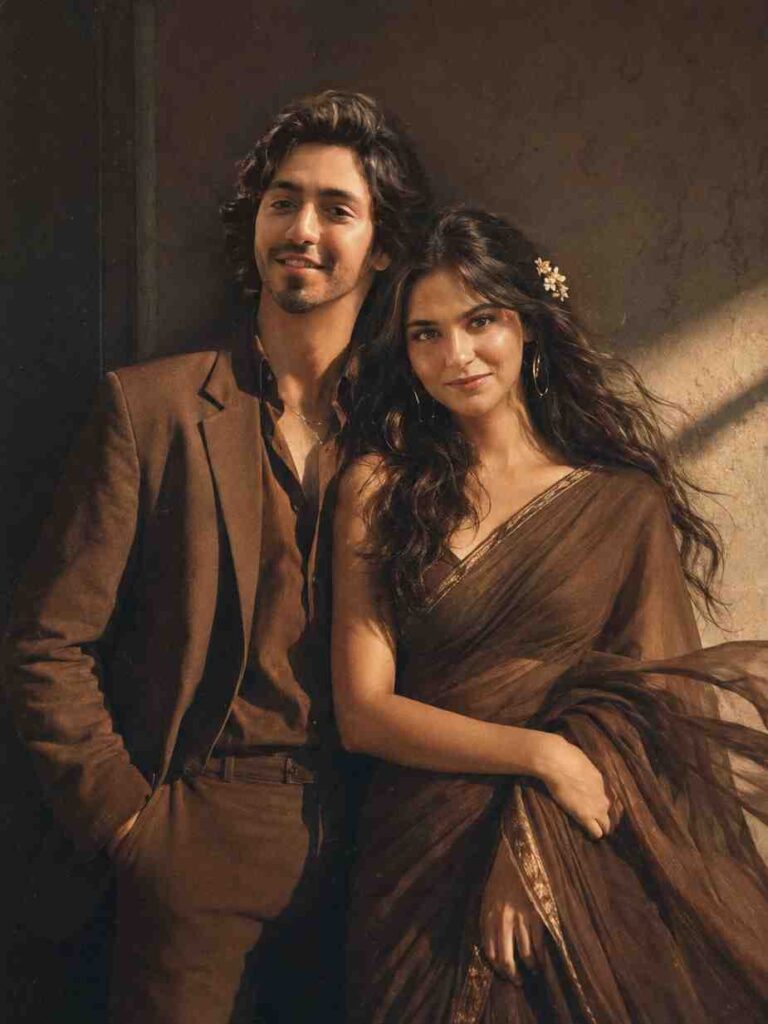
Create an ultra-realistic 90s retro vintage cinematic couple portrait from the reference images, preserving both faces, hairstyles, expressions, and body proportions exactly. Dress the boy in a brown vintage suit and the girl in a brown Pinterest aesthetic retro saree with long wavy black hair and a small flower tucked behind one ear. Add a gentle windy effect, warm golden-hour lighting, deep shadows, dramatic contrast, subtle vintage film grain, and a minimalist textured wall background. Create a nostalgic, romantic mood with a calm, soft smile, authentic film look, premium color grading, shallow depth of field, and 8K ultra-realistic quality
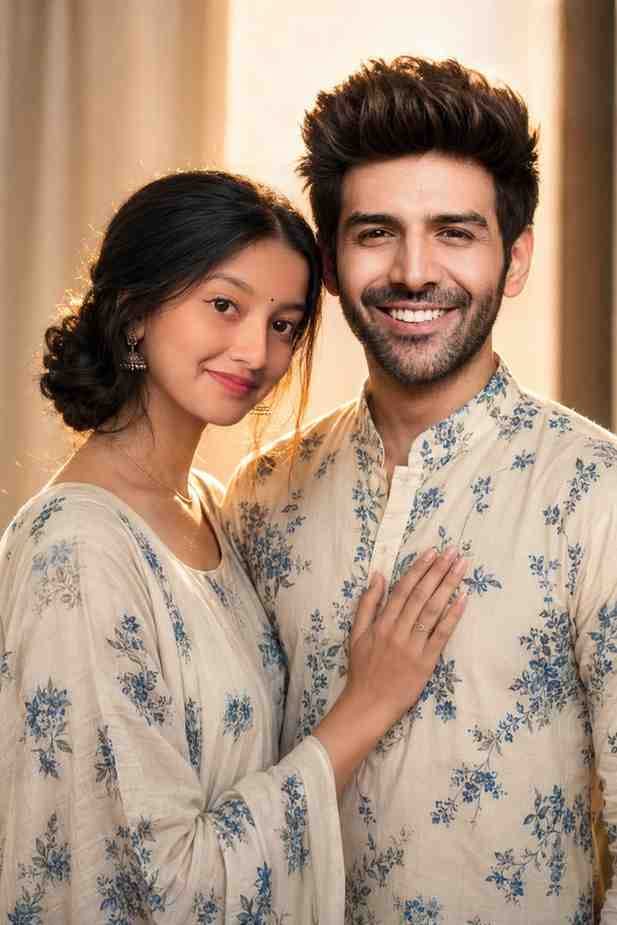
Use the uploaded reference photos and preserve both faces 100% exactly. Create an ultra-realistic Indian couple portrait wearing matching cream ethnic outfits with blue floral prints. The woman has red lipstick, a small black bindi, jhumka earrings, and a low bun, gently placing her hand on the man's chest. The man has a well-groomed beard and short hair, wearing a matching floral kurta. Warm golden rim light from behind, soft front beauty lighting, cinematic bokeh background, DSLR, 85mm, f/1.8, HDR, 8K. Strict identity lock—no changes to facial features, skin tone, hairstyle, or expressions.
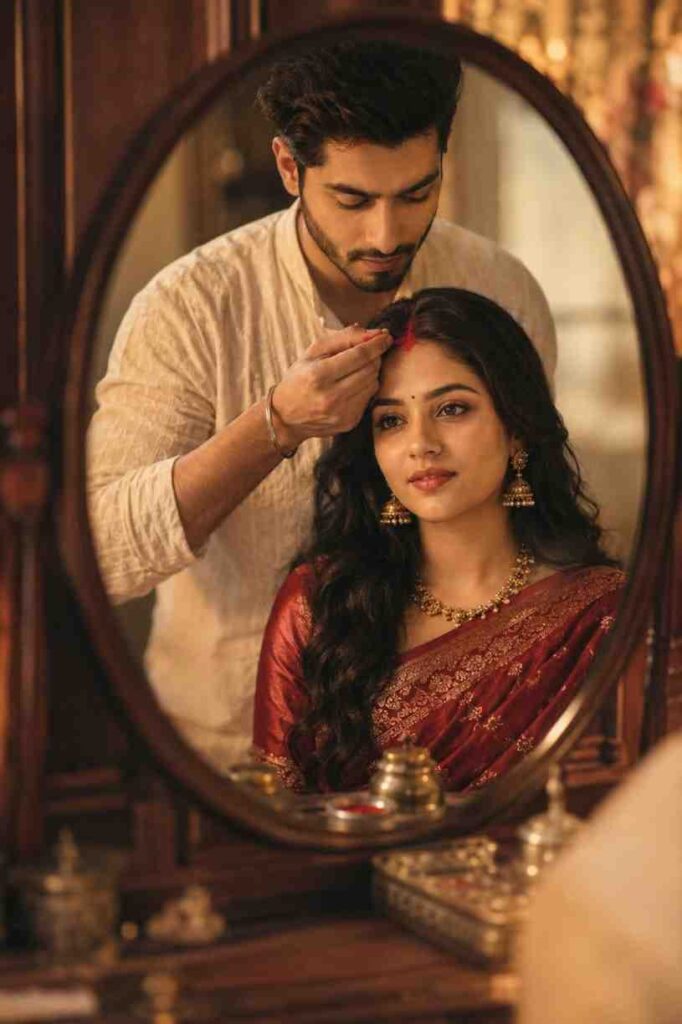
Use the uploaded couple photo as the face reference, preserving both faces exactly. Create an ultra-realistic scene reflected in a vintage wooden vanity mirror. A bearded Indian man in a white kurta gently applies red sindoor to the woman's hair parting. She wears a deep red embroidered saree, gold jewelry, and jhumka earrings with a calm expression. Warm golden-hour lighting, rich bokeh, soft cinematic glow, realistic skin texture, shallow depth of field, 85mm lens, f/1.8, premium color grading, high detail, no text or watermark.
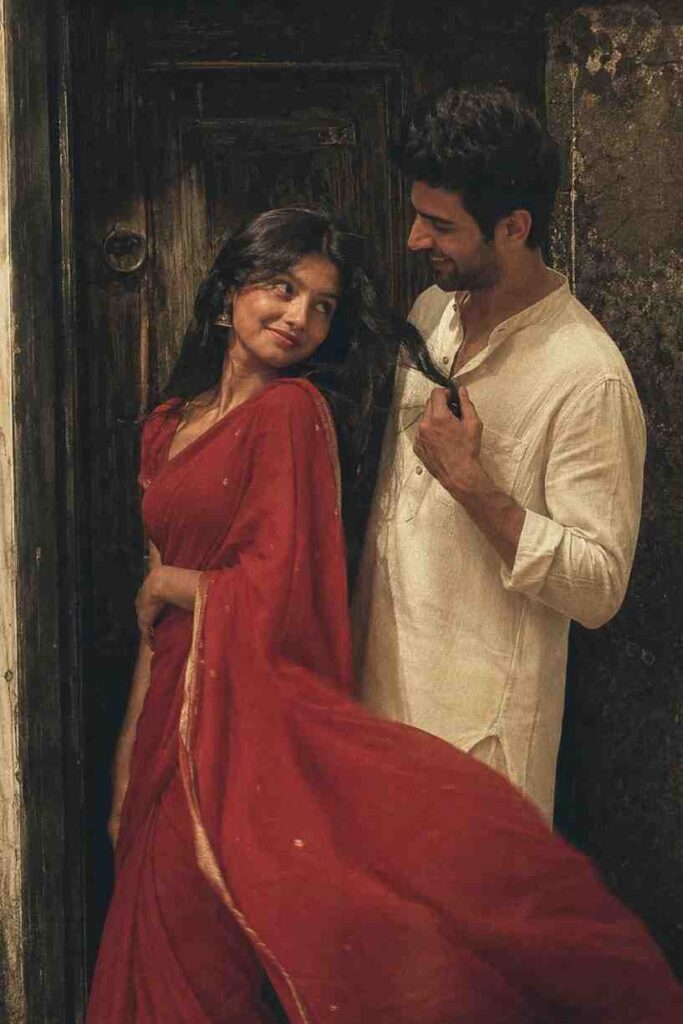
Create a realistic retro vintage-style portrait using the reference images, preserving both faces exactly. The girl wears a Pinterest-style red cotton saree with a matching blouse, blushing while looking back. The guy wears an off-white kurta with classic 90s formal pants, gently holding her flowing hair as they gaze into each other's eyes. Set them against an old wooden door with dramatic shadows, warm golden light, a windy romantic atmosphere, subtle film grain, vintage color grading, and a nostalgic 90s Bollywood cinematic aesthetic. Ultra-realistic, editorial quality, 8K.
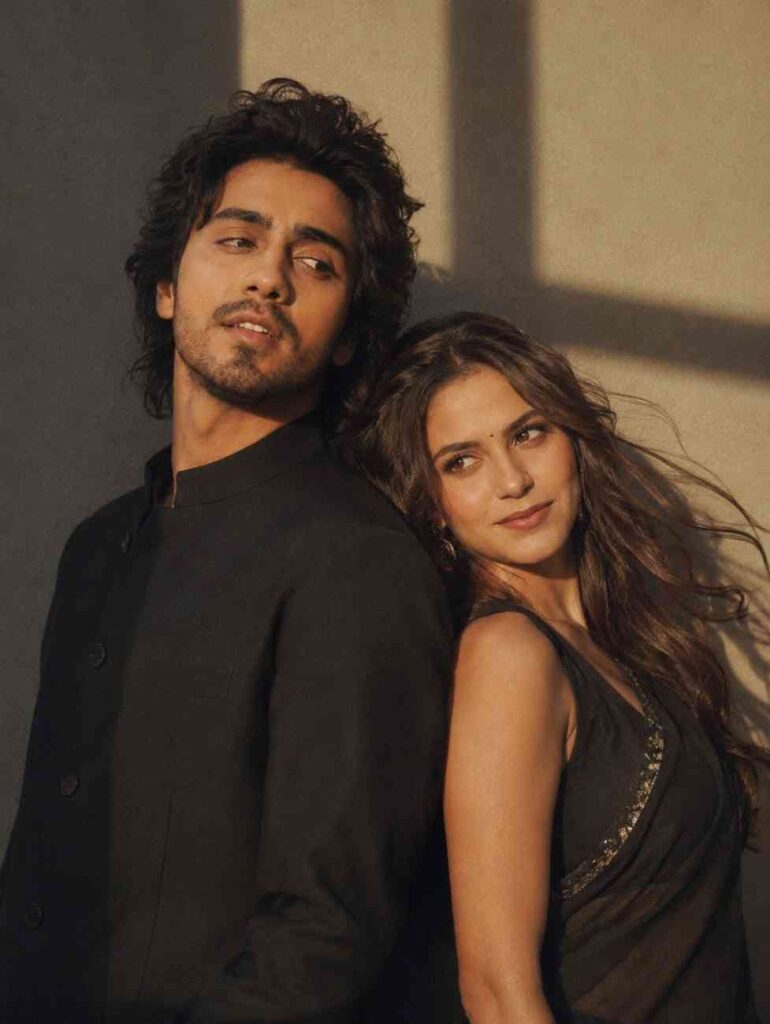
Use the uploaded reference images and preserve both subjects' exact facial identity, facial structure, skin tone, hairstyle, expressions, and proportions with no alterations. Create a retro 90s Pinterest-inspired cinematic portrait with a bright yet nostalgic film aesthetic, soft grain, and warm vintage color grading. Dress the girl in an elegant flowing black saree with her long hair gently blowing in the wind, leaning back naturally against the man. Dress the man in a tailored black Chinese-collar (Mandarin collar) suit, standing back-to-back, looking sideways with a calm, confident expression. Place them against a minimalist textured wall with dramatic late-afternoon shadows, creating depth and a timeless cinematic mood. Capture as a medium shot using a 50mm lens, featuring shallow depth of field, subtle film grain, soft natural light, rich contrast, and an authentic 90s romantic Pinterest aesthetic.
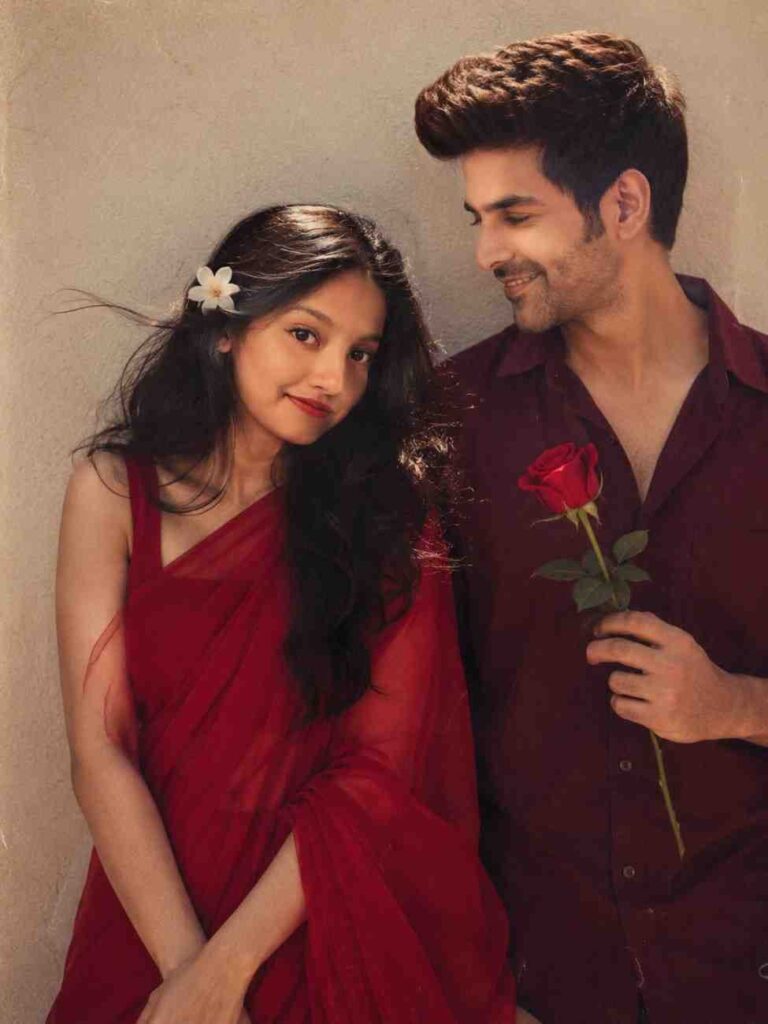
Create a retro vintage-inspired cinematic portrait based on the reference images, preserving both faces and identities exactly. The girl wears a Pinterest-style red retro saree with a matching blouse, shiny brown hair flowing in the wind, and a small white flower tucked into her hair. The boy stands beside her in a maroon shirt, smiling at her while holding a single red rose. They stand against a simple solid wall in a romantic 90s Bollywood atmosphere with warm golden-hour lighting, subtle film grain, soft vintage color grading, dreamy bokeh, and a bright nostalgic analog look. Ultra-realistic, highly detailed, 8K, vertical 4:5 composition.
Customizing Your Retro Couple Photo
You can change some words in the prompt to change the style of the photo if you want.
For example, you can write 80s denim fashion instead of 90s classic fashion.
Or you can write vintage cafe or village road instead of old city street to change the background.
If you make these small changes in the prompt with a little brain, you will get a new type of photo every time.
Best Aspect Ratios for Instagram Reels and TikTok
AI usually makes square photos. But if you want to post it on Instagram Reels or TikTok, the size must be 9 by 16.
For this, you can crop the photo with any simple editor on your phone, like Snapseed or InShot, after downloading the photo.
Many times AI makes long photos if you write aspect ratio 9 by 16 at the end of the prompt.
Conclusion
I hope you understand the whole process now. Making photos using couple prompt for gemini ai retro style is not a hard work anymore.
Select two correct photos, upload them to Gemini AI, and use the prompt given by me.
Just try it once. I hope your own vintage photos will catch the eyes of everyone on social media.
Frequently Asked Questions (FAQs)
Does it cost any money to make this photo?
No, you can make these photos completely free using Gemini AI.
Is it completely free to generate these photos?
Yes, you can generate them for free using Gemini AI.
Can I make a couple photo with only my picture?
No, you must upload separate photos of two people, a boy and a girl, to get a correct couple photo.
Can I make a couple photo with only my picture?
No, you must upload two separate photos of both partners.
What should I do if the AI does not understand my face correctly?
This happens when the face is not clear in the photo. Use clear and front facing photos without sunglasses or masks.


1 thought on “Trending Couple Prompt For Gemini AI Retro Style Photo Idea”